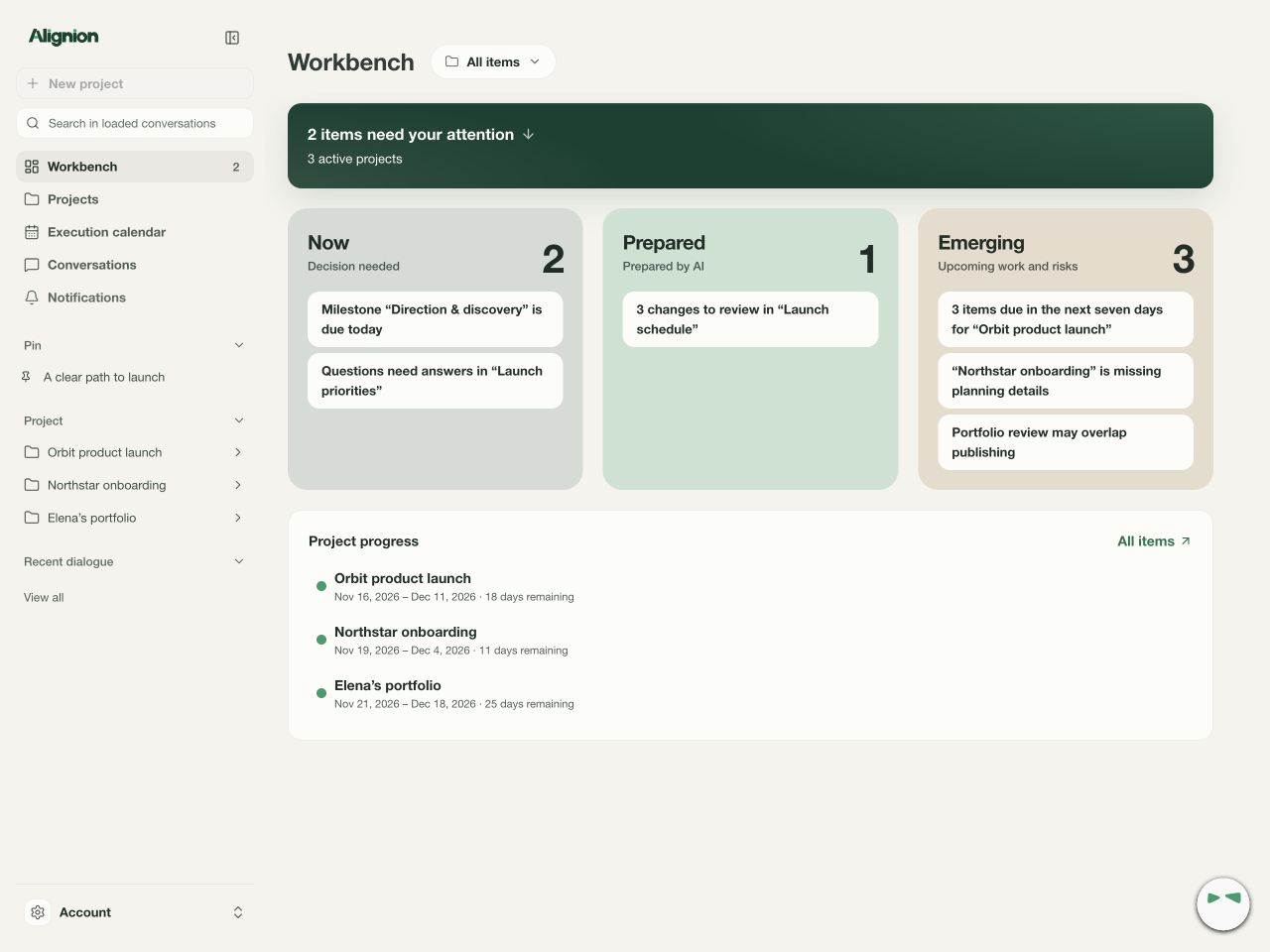
 Meet your new workspace
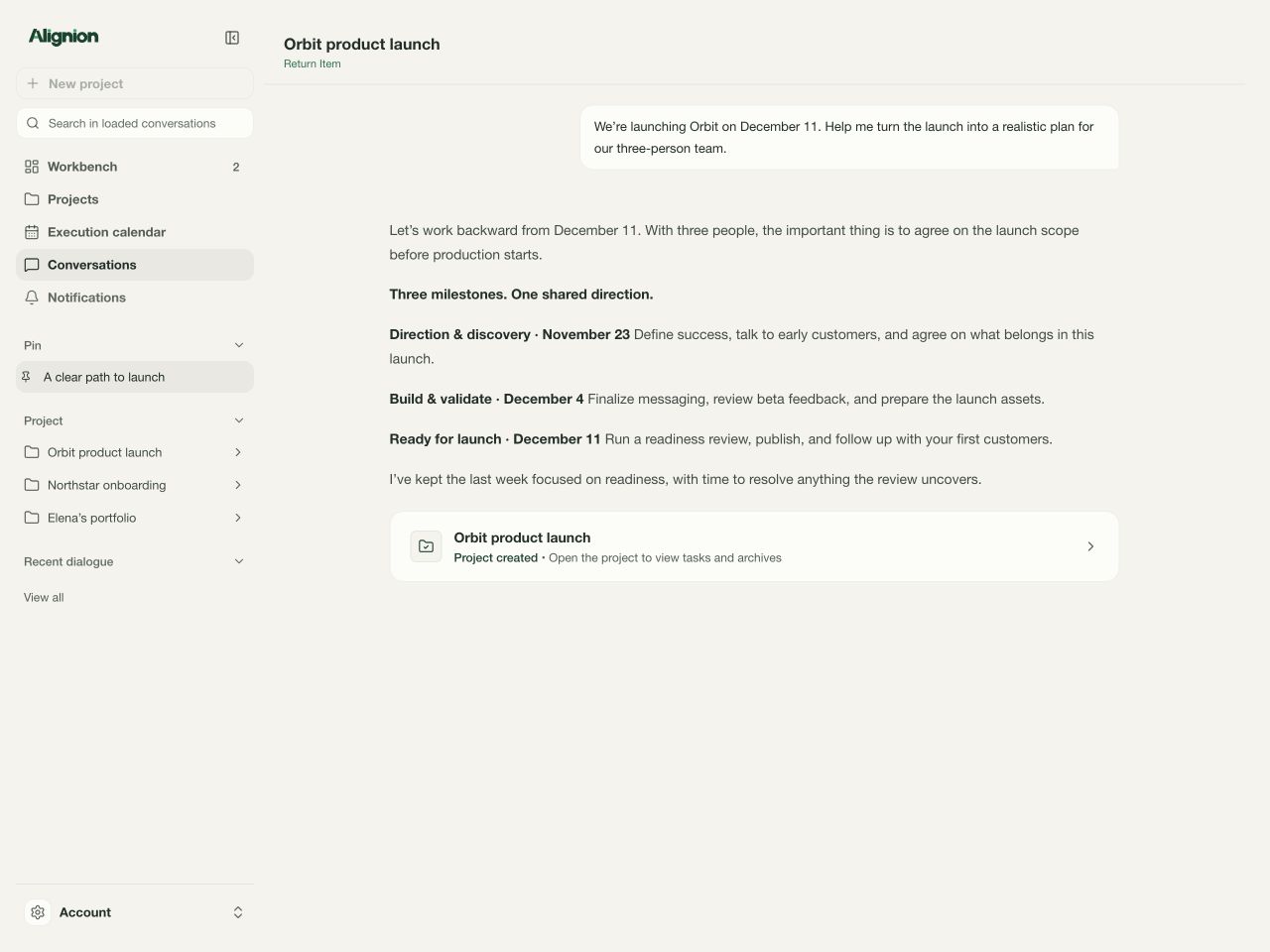 Start with a conversation
Know what
needs you
Today’s scope decision. A schedule ready to review. Three commitments coming up. Your workbench puts each in its place.
Explore the workbench →

Bring the ambition.
Find the next step.
Your AI project partner. From the first idea to the work that moves it forward.
A clear plan. A shared direction. A next step.Good ideas deserve more than a growing to-do list. Think it through with AI, build a plan you believe in, and keep the decisions that matter in view.
Discover how Alignion worksOne launch. Three moments that move it along.
Today’s scope decision. A schedule ready to review. Three commitments coming up. Your workbench puts each in its place.
Explore the workbench →Give Jordan a day for feedback. See the proposed date changes together, with the December 11 launch still in sight.
See how review works →Tasks become a timeline. Milestones mark the way. See how the next small step connects to the whole launch.
Explore the timeline →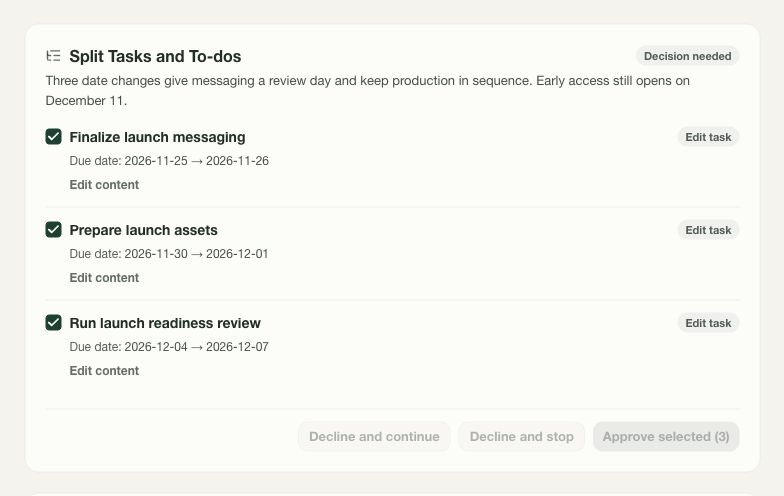
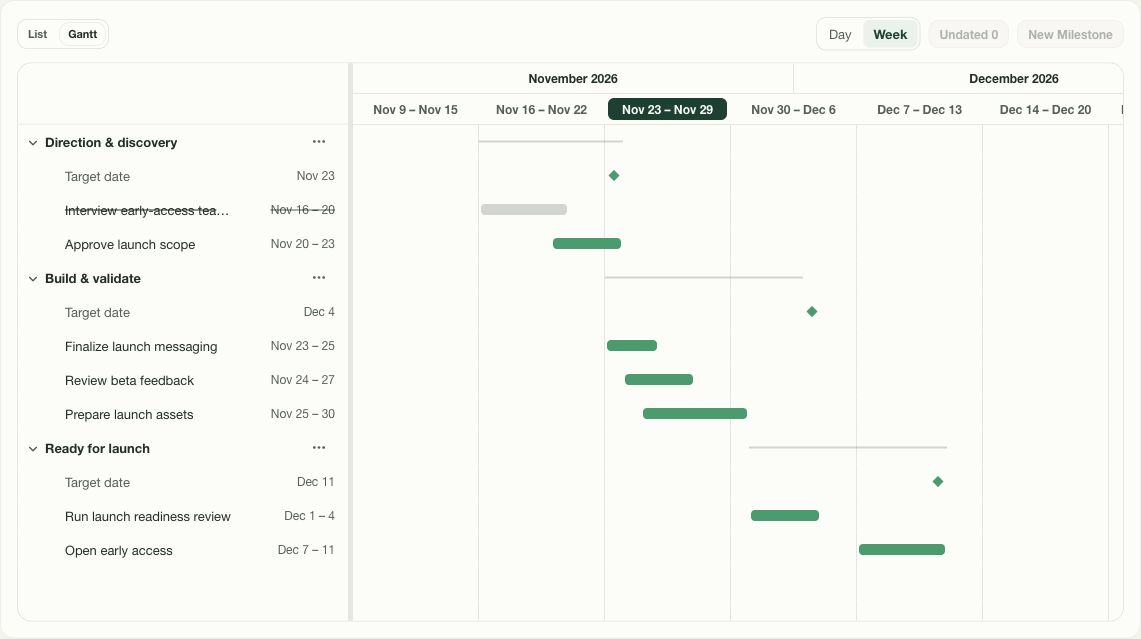
See every task, milestone, and deadline together. Move between the list and Gantt to find your next step.
Explore the product →See how a product team, a customer success lead, and an independent designer find their next step.
Your project takes shape through a conversation, and stays useful as the work evolves.
Describe the outcome you want. Add what you know and talk through what you don’t.
Clarify the goal, review the plan, and agree on milestones and practical next steps.
Return to your workbench. Make decisions, review changes, and follow the project as it develops.
Alignion is an AI-assisted project workspace. It brings conversations, project plans, tasks, timelines, and decisions together to help you move from an idea to practical progress.
No. Start with a goal and what you already know. Use the conversation to work through constraints and unanswered questions before shaping the project and its plan.
AI-proposed project changes are presented for your review. You decide whether to approve them before they are applied. You can also edit your project directly.
The workspace uses the real English Alignion interface with three fictional projects. Expand a workbench card and use its shortcut to open the corresponding project, question, or proposed changes. That destination is the second and final layer: editing and further navigation are disabled. Return to Workbench to explore another example. It does not run live AI.
A project can hold its profile, milestones, tasks, materials, records, stakeholders, and conversations. List and Gantt views give you different ways to look at the same work.
Make a decision. Shape the plan. See what changes.
Try the workspace